
Prompting in Bloo.Agent is crucial for retrieving accurate information and performing tasks efficiently. This guide will walk you through the best practices for creating effective prompts.
1. Understanding the Prompt Structure
When crafting prompts in Bloo.Agent, it's important to follow a clear structure. Effective prompts should be specific, concise, and relevant to the task or information you need.
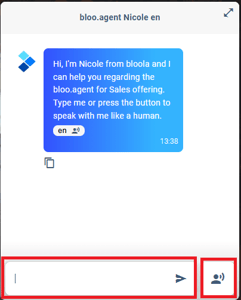
2. Crafting Specific Prompts
To get accurate responses, your prompts should be specific. For example, instead of asking, "Tell me about articles," specify the category or topic, such as, "Show me articles related to integration."
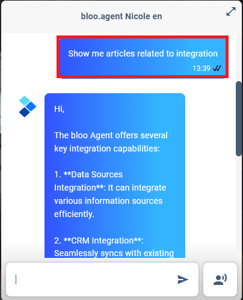
3. Using Keywords Effectively
Incorporate relevant keywords related to the information or action you are seeking. Keywords help the system understand the context and provide more relevant results.
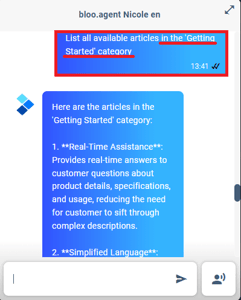
4. Example Prompts
Here are some examples of effective prompts:
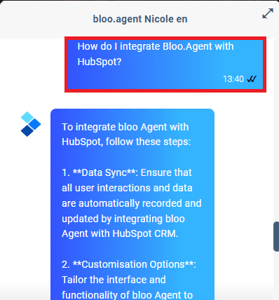
- "How do I integrate Bloo.Agent with HubSpot?"
- "List all available articles in the 'Getting Started' category."
- "Update settings for user permissions."
5. Common Mistakes to Avoid
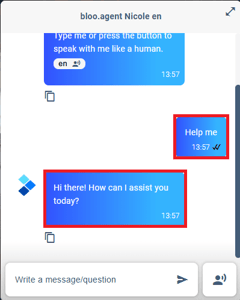
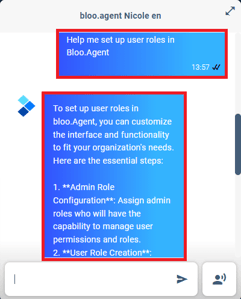
Avoid vague prompts or those that lack context. For instance, "Help me" is too broad. Instead, use specific prompts such as, "Help me set up user roles in Bloo.Agent."
6. Tips for Effective Prompting
- Be Clear: Ensure your prompt clearly states what you need.
- Be Concise: Avoid unnecessary details that could confuse the system.
- Use Correct Terms: Use the exact terminology as used in Bloo.Agent for better accuracy.
By following these guidelines for crafting effective prompts in Bloo.Agent, you can enhance your ability to retrieve accurate information and perform tasks efficiently. Practice using specific keywords and clear instructions to make the most of your Bloo.Agent experience.